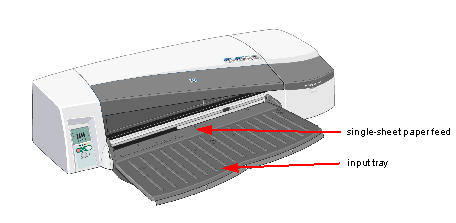
Note that the tray must be extended for paper that is larger than Legal- or B4-size. Open the tray to position 2 for paper up to A3-size or 11x17. Open it to position 3 for paper up to A3+-size or 13x19. - The tray holds up to 100 sheets of paper; you should use this tray to hold paper that is commonly used.
To use this tray, select TRAY 1 in your software. How do I load paper in the tray? - The printer has a front path that takes single sheets of large paper from A4 (210 x 297 mm) to D+ (610 x 914 mm) in width; use this slot for media that needs special handling care.
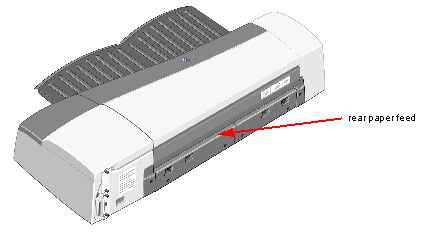
You can also use this slot to print on the back of an already printed sheet. To use this slot, select SINGLE-SHEET FEED in your software. How do I load paper in the front path? - The rear manual path through takes single sheets of paper; it is designed to provide a straight paper path for printing on thicker media (up to 0.3 mm) such as card stock or labels, without bending. This paper path only takes single sheets.
To use this path, select REAR PATH in your software. How do I load paper in the rear path? - The output tray holds 50 sheets.
|