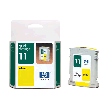
You are here:  ink system monitor cartridges. Skip navigation bar
You are here: |

© 2002 Hewlett-Packard Company
|
Tell me about ink cartridge and printhead (pen) accessories
Web links on this page: [HP Home] [Designjet Online] [Support] [How to Buy] | |||||||||||||||||||||||||||||||||||||||||||